Fractional Brownian Motion OpenGl


Final Shader : https://www.shadertoy.com/view/MfGcW1


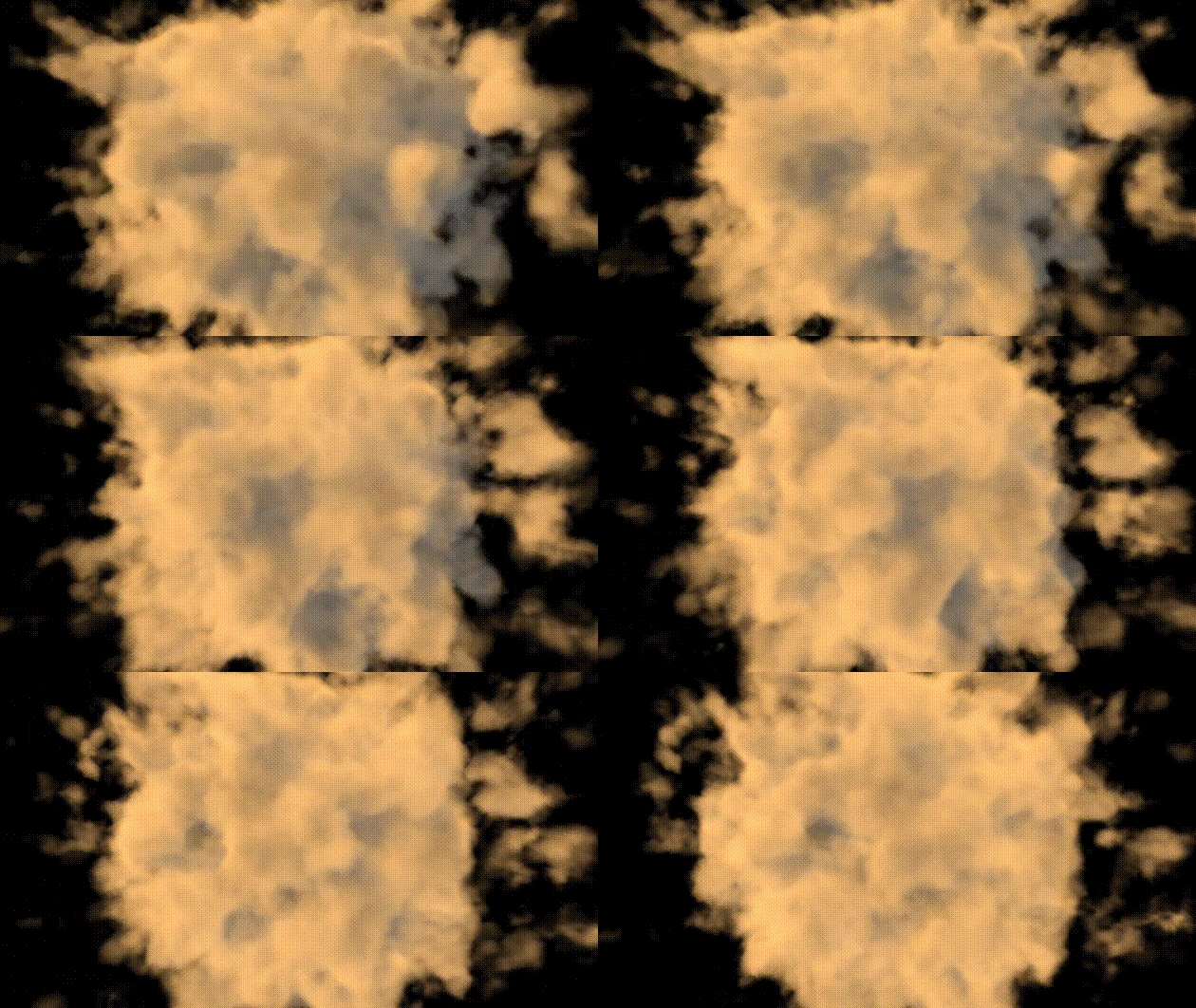
FBM Fractional Brownian Motion, Sum of several layers (also called octaves) of noise, each with a different frequency and amplitude. Each layer or octave is created by applying a noise function (such as Perlin or Simplex noise) at different scales. Steps,

  • P is the position in space
  • A : Amplitudes for each octave decreases as you go to higher octavesm (A0, A1,..,)
  • The frequency doubles with each octave (i.e., p * 2, p * 4, ...).
  • Each layer of noise is summed together to produce the final result.
float fbm(vec3 p, int octaves) {
    float f = 0.0;
    float amp = 1.0;
    for (int i=0; i<octaves; i++){
        amp*=.5;
        f += amp * noise(p); p = m * p * (2.0+(float(i)/10.0));
    }
    return f;
}

Perlin Noise Function generates 3D Perlin-like noise by:

  • Decomposing the input position into its integer and fractional parts.
  • Using smooth interpolation (smoothstep) to smoothly blend the fractional part.
  • Hashing the integer grid coordinates to generate pseudo-random values at the grid corners.
  • Interpolating between these corner values to create a smooth noise value.
  • The result is a smooth and continuous noise function that produces values between -1.0 and 1.0, and the smooth transitions between grid points give it the characteristic “Perlin noise” look.
float noise(vec3 x) {
    vec3 p = floor(x);        // Integer part of the input
    vec3 f = fract(x);             // Fractional part of the input
    f = f * f * (3.0 - 2.0 * f);  // Smoothstep interpolation

    float n = p.x + p.y * 57.0 + 113.0 * p.z; // Unique value for each grid cell

    // Interpolate between the hash values at the corners of the cell
    return mix(
        mix(mix(hash(n + 0.0), hash(n + 1.0), f.x),
            mix(hash(n + 57.0), hash(n + 58.0), f.x), f.y),
        mix(mix(hash(n + 113.0), hash(n + 114.0), f.x),
            mix(hash(n + 170.0), hash(n + 171.0), f.x), f.y), f.z
    );
}

Creating Complexity in the Noise: 3×3 rotation matrix used for transforming the points in fbm
If the same transformation matrix were applied repeatedly to the coordinates, it would ensure that the fractal pattern generated by fbm doesn’t just repeat in a predictable way.

const mat3 m = mat3(
0.00, 0.80, 0.60,
-0.80, 0.36, -0.48,
-0.60, -0.48, 0.64
);

Hash function generates pseudo-random values based on input

float hash(float n) {
    return fract(sin(n) * 123.456);
}

Scene function that combines distance-based fog effect with fbm

float scene(vec3 p) {
return 0.1 - length(p) * 0.05 + fbm(p * 0.3 , 16);
}

RayMarching Loop, Main ray marching loop

  • Density Check: If the density is greater than 0.0 (i.e., we’re inside a volumetric medium like fog or clouds), the loop continues.
  • T: The transparency factor of the ray. It accumulates over the iterations based on the density and absorption, simulating how the ray becomes more opaque as it travels through the medium.
  • Light Scattering: The inner loop (for (int j = 0; j < nbSampleLight; j++)) calculates light scattering along the ray by sampling the light density in the direction of the sun (or light source). This simulates how light interacts with the medium.
  • Ambient Color and Scattering Color: For each step, the shader adds both ambient and scattering color to the final color based on the density and light scattering. The color values are scaled by tmp, T, and Tl (transparency and light scattering factors).
for (int i = 0; i < nbSample; i++) {
        float density = scene(p);
        if (density > 0.0) {
            float tmp = density / float(nbSample);
            T *= 1.0 - tmp * absorption;
            if (T <= 0.01) break;

            // Light scattering
            float Tl = 1.0;
            for (int j = 0; j < nbSampleLight; j++) {
                float densityLight = scene(p + normalize(sun_direction) * float(j) * stepl);
                if (densityLight > 0.0) {
                    Tl *= 1.0 - densityLight * absorption / float(nbSample);
                    if (Tl <= 0.01) break;
                }
            }

            // Add ambient + light scattering color
            vec4 ambientColor = vec4(1.0) * 50.0 * tmp * T;
            vec4 scatteringColor = vec4(1.0, 0.7, 0.4, 1.0) * 80.0 * tmp * T * Tl;
            color += ambientColor + scatteringColor;


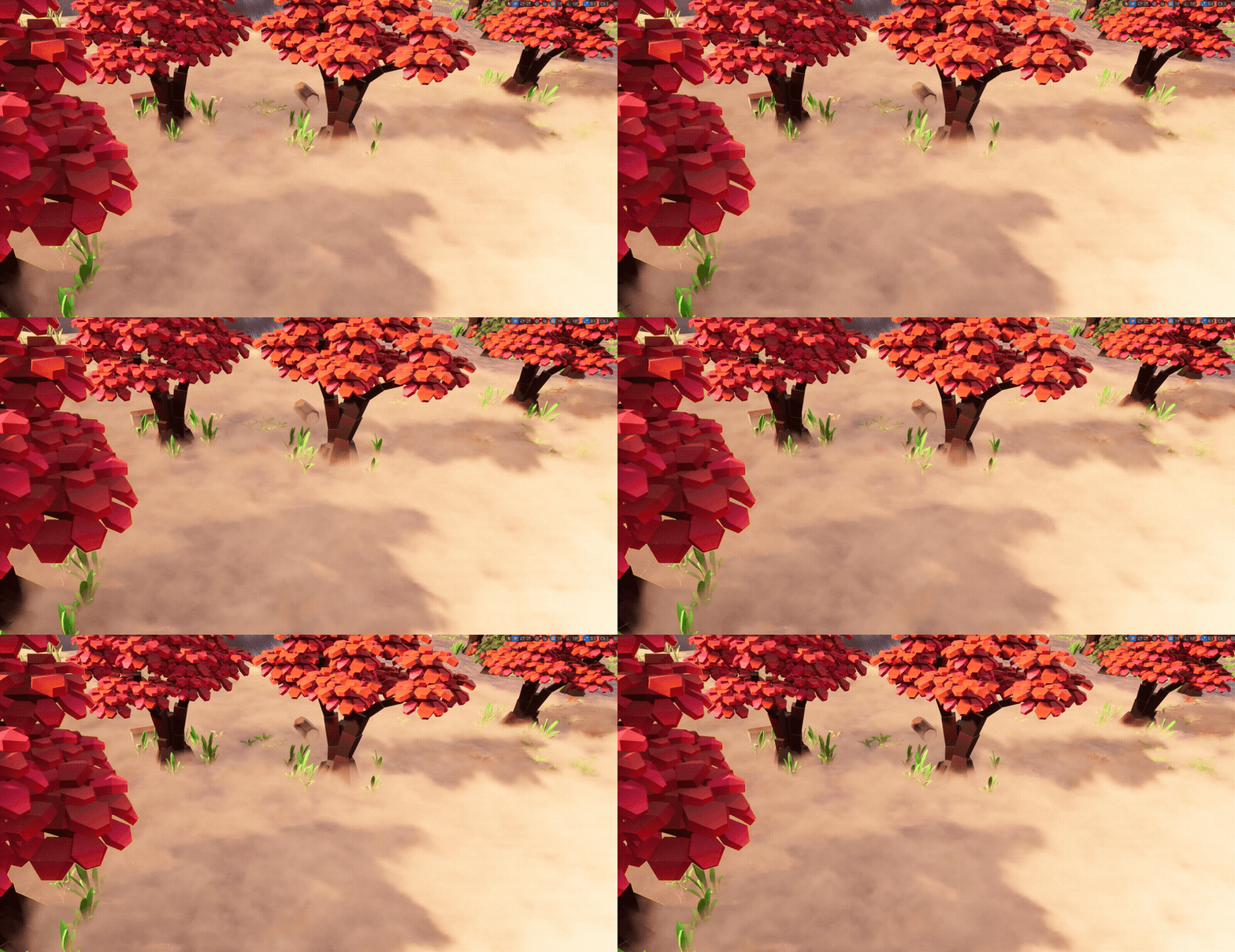
volumeRaycasting

RayMarching OpenGl


Ray marching is a technique in computer graphics used to render 3D scenes. It works by sending rays from a camera into a scene and stepping along the ray to find the surfaces of objects, using signed distance functions (SDFs) to determine the closest point. I first explored this technique through Shadertoy, using GLSL shaders. It’s a powerful and efficient way to create detailed 3D visuals with relatively simple code. Here’s a breakdown of how it works


A signed distance function (SDF) returns the shortest distance from any point in space to the surface of a shape. Function returns a positive distance if the point is outside the shape, a negative distance if the point is inside the shape, and zero if the point is exactly on the surface. REF prrimitive shapes.

float sdSphere(vec3 p, float - radius) {
    return length(p) -radius;
}
  • p is the point in space.
  • radius is the radius of the sphere.
  • length(p) calculates the Euclidean distance from the point p to the origin (center of the sphere).
  • Subtracting radius adjusts this distance to represent the signed distance.
  • If p is outside the sphere, length(p)-radius is positive.

Here is final primitive generation script, A transformation matrix that can be used to apply rotations or other transformations to the sphere. Surface struct returns signed distance from a point p & color of the object. These functions define various objects in the scene, each returning a Surface struct with the distance from a point to the object and its color:

Surface sdSphere(vec3 p, float radius , vec3 offset , vec3 col, mat3 transform ) {
    p = (p - offset) * transform; 
    float d = length(p) - radius; 
    return Surface(d, col);
}

Union operation that combines two SDFs. it takes two vec2 inputs, each representing a distance and an associated ID, and returns the one with the smaller distance value. This is used to determine which of the two objects is closer to a given point.

vec2 opU(vec2 d1, vec2 d2) {
    return (d1.x < d2.x) ? d1 : d2; 
}

Calculate Normal

vec3 calcNormal(in vec3 p) {
    vec2 e = vec2(1, -1) * EPSILON;
    return normalize(
        e.xyy * sdScene(p + e.xyy).sd +
        e.yyx * sdScene(p + e.yyx).sd +
        e.yxy * sdScene(p + e.yxy).sd +
        e.xxx * sdScene(p + e.xxx).sd
    );
}

  • Define Epsilon Vector: e is a small vector used for numerical differentiation. It has two components: 1.0 and -1.0, scaled by a small value (0.0005). This small value (0.0005) is chosen to provide a small offset for the differentiation process, ensuring a precise approximation.
  • Calculate Perturbed Positions: For each of the following terms, the function perturbs the position p by a small offset and evaluates the signed distance function sdScene at these perturbed positions.
  • Evaluate Signed Distance Function:For each perturbed position, the signed distance function sdScene is evaluated, giving the distance from the perturbed point to the surface.

Surface Struct and Utility Functions

This struct represents a surface with a signed distance and a color, and the utility functions work with these surfaces:

struct Surface {
    float sd; // Signed distance
    vec3 col; // Color
};

Surface minSurface(Surface objA, Surface objB) {
  if (objB.sd < objA.sd) return objB;
  return objA;
}

Ray Marching

These functions perform ray marching at a point on a surface: This method ensures that the ray stops as soon as it detects an intersection

Surface rayMarch(vec3 ro, vec3 rd, float start, float end) {
  float depth = start;
  Surface co; // closest object

  //The function starts from a given point (start) along a ray (ro + rd) 
  //and moves forward incrementally (depth += co.sd)
  for (int i = 0; i < MAX_MARCHING_STEPS; i++) {
    vec3 p = ro + depth * rd;
    //At each step, it evaluates the distance to the nearest surface.
    co = sdScene(p);
    depth += co.sd;
    //If it gets very close to a surface or exceeds the maximum distance it stops.
    if (co.sd < PRECISION || depth > end) break;
  }
  //The final Surface struct (co) contains the distance from the ray origin 
  //to the closest surface and the color of the surface at that intersection point.
  co.sd = depth;
  return co;
}

Main Image Function, This function renders the scene by setting up the camera, performing ray marching, and calculating the color at each pixel:

void mainImage(out vec4 fragColor, in vec2 fragCoord) {
    //Normalize Fragment Coordinates:
    vec2 uv = (fragCoord - 0.5 * iResolution.xy) / iResolution.y;
    vec3 backgroundColor = vec3(0.835, 1, 1);
    vec3 col = vec3(0);

    //Calculate Camera Position& matrix
    vec3 lookAtPos = vec3(0, 0.5, 0); 
    vec3 ro  = cameraLookatPosition(.5, 5., lookAtPos);
    mat3 cam = cameraLookat(ro, lookAtPos);
    //Calculate Ray Direction:
    vec3 rd = cam * normalize(vec3(uv, -1)); 

    // Perform ray marching
    Surface co = rayMarch(ro, rd, MIN_DIST, MAX_DIST); 
    if (co.sd > MAX_DIST) {
        col = backgroundColor; // Ray didn't hit anything
    } else {
        vec3 p = ro + rd * co.sd; // Point on the object we discovered from ray marching
        vec3 normal = calcNormal(p);//Calculate Surface Normal:
        vec3 lightPosition = vec3(2, .5, 7);//Calculate Light Direction:
        vec3 lightDirection = normalize(lightPosition - p);//Calculate Diffuse Lighting:

        float dif = clamp(dot(normal, lightDirection), 0.02, 1.0); // Diffuse reflection
        col = dif * co.col + backgroundColor * 0.2; // Add a bit of background color to the diffuse color
    }

    fragColor = vec4(col, 1.0);//Output the Color:
}


Final Shader : https://www.shadertoy.com/view/4cVczW

REFERENCES

RayMarching Unreal HLSL

This HLSL script performs ray marching to render a scene with a sphere and a torus. It calculates the distance to these objects using Signed Distance Functions (SDF), determines surface normals, and applies lighting effects to achieve diffuse and specular highlights. The script involves normalizing the light direction, iterating through ray steps, and calculating color and opacity based on intersections with the objects.


Summary of Functionality:

  1. Ray Initialization: The script initializes the ray origin and step direction based on the view direction and world position. The light direction is also normalized.
  2. Shape Definitions (SDF): A structure defines the SDFs for a sphere and a torus, returning the distance to the surface and the object type.
  3. Normal Calculation: Functions to calculate normals for the sphere and torus using numerical gradients are provided.
  4. Ray Marching Loop: The loop iterates, calculating distances to the sphere and torus. It determines the closest object and sets the diffuse color accordingly.
  5. Intersection Handling: If an intersection is found, it calculates the surface normal, diffuse lighting based on the light direction, and specular highlights. The final color is returned.
  6. Opacity Mask: If no intersection is found, the opacity mask is set to 0, and the color is set to black.

Define Sdf shapes & normals

// Structure to define Signed Distance Functions (SDF) for shapes
struct sdfShapes
{
    // SDF for a sphere
    float4 sphere(float3 p, float3 offset, float radius)
    {
        // Calculate the distance from the point to the surface of the sphere
        float dist = length(p - offset) - radius;
        // Type of object (0 for sphere)
        float type = 0; 
        return float4(dist, type, 0, 0); 
    }

    // SDF for a torus
    float4 torus(float3 p, float3 offset, float2 radius)
    {
        float3 q = p - offset;
        // Calculate the distance from the point to the surface of the torus
        float2 t = float2(length(float2(q.x, q.z)) - radius.x, q.y);
        // Type of object (1 for torus)
        float type = 1; 
        return float4(length(t) - radius.y, type, 0, 0);
    }

    // Calculate the normal for the sphere using its SDF
    float3 calculateNormalSphere(float3 p, float3 offset, float radius)
    {
        float eps = 0.001; // Small epsilon for numerical gradient
        float3 n;
        n.x = sphere(p + float3(eps, 0, 0), offset, radius).x - sphere(p - float3(eps, 0, 0), offset, radius).x;
        n.y = sphere(p + float3(0, eps, 0), offset, radius).x - sphere(p - float3(0, eps, 0), offset, radius).x;
        n.z = sphere(p + float3(0, 0, eps), offset, radius).x - sphere(p - float3(0, 0, eps), offset, radius).x;
        return normalize(n);
    }

    // Calculate the normal for the torus using its SDF
    float3 calculateNormalTorus(float3 p, float3 offset, float2 radius)
    {
        float eps = 0.001; // Small epsilon for numerical gradient
        float3 n;
        n.x = torus(p + float3(eps, 0, 0), offset, radius).x - torus(p - float3(eps, 0, 0), offset, radius).x;
        n.y = torus(p + float3(0, eps, 0), offset, radius).x - torus(p - float3(0, eps, 0), offset, radius).x;
        n.z = torus(p + float3(0, 0, eps), offset, radius).x - torus(p - float3(0, 0, eps), offset, radius).x;
        return normalize(n);
    }
};

Ray Marching Loop

sdfShapes sdf;

for (int i = 0; i < 512; i++)
{
    // Calculate the distance to the sphere
    float4 distSphere = sdf.sphere(rayOrigin, sphereCenter, sphereRadius);
    // Calculate the distance to the torus
    float4 distTorus = sdf.torus(rayOrigin, torusCenter, float2(torusRadiusMajor, torusRadiusMinor));
    // Choose the closer distance
    float dist = min(distSphere.x, distTorus.x); 

    // Set diffuse color based on the closest shape
    if (dist == distSphere.x)
        diffuseColor = sphereColor;
    if (dist == distTorus.x)
        diffuseColor = torusColor;

    if (dist < 0.01)
    {
        // Calculate Surface Normal
        float3 normal;
        if (dist == distSphere.x)
            normal = sdf.calculateNormalSphere(rayOrigin, sphereCenter, sphereRadius); 
        else
            normal = sdf.calculateNormalTorus(rayOrigin, torusCenter, float2(torusRadiusMajor, torusRadiusMinor)); 
        
        // Calculate Diffuse Based On Light Direction
        float diffuse = max(dot(normal, lightDirection), 0); 
        
        // Reflection Vector of Light Direction & Surface Normal 
        float3 reflection = reflect(lightDirection, normal); 
        // Normalized Vector From World Position To Ray Origin 
        float3 viewDirection = normalize(-worldPos - rayOrigin); 
        // Specular, Size Based on Pow Exp.
        float specular = pow(max(dot(reflection, viewDirection), 0), 16); 
        
        // Add Specular Highlight To Diffuse Result
        return (diffuseColor * diffuse + (specular * float3(1, 1, 1))); 
    }
    
    // Continue ray marching by moving the ray origin
    opacityMask = 1;
    rayOrigin += rayStep;
}

// If no intersection, set opacity mask to 0 and return black color
opacityMask = 0;
return float3(0, 0, 0);

REFERENCES

Procedural Volumetric Shader HLSL

This shader is developed to create procedural volumetric effects using HLSL. It simulates the effect of wind on a texture by blending two different wind directions and speeds. The shader dynamically alters the texture’s appearance based on time, local position, and various parameters to achieve a realistic wind-blown effect.

  • Wind Direction and Speed: The shader uses two wind directions and speeds to simulate the effect of wind on the texture. The directions are represented by windDir_A and windDir_B, and the speeds by windSpeed_A and windSpeed_B.
  • UV Calculation: The UV coordinates for texture sampling are calculated based on the wind directions, speeds, and tiling factors. This creates the illusion of the texture being affected by the wind.
  • Flattening Effect: The flatten variable controls the flattening effect based on the height of the position within the bounds. This is used to reduce the density effect at higher positions.
  • Density Calculation: The densities are sampled from two textures and combined with a flattening effect. The result is used to influence the final color.
  • Color Blending: The final color is blended between two predefined colors (color_A and color_B) based on the calculated density and color gradient.
  • Extinction: The extinction value is calculated based on the density and can be used for further processing or effects in the shader.
// global Inputs
localPosition;    // Local position of the vertex/fragment
localBoundsMin;   // Minimum bounds of the local space
localBoundsSize;  // Size of the local bounds

// Wind direction and speed settings
float3 windDir_A = float3(1, 0, 0);
float3 windDir_B = float3(-1, 0, 0);
float windSpeed_A = 0.3;
float windSpeed_B = 0.1;

// Tiling factors for the wind effect
float tiling_A = 1;
float tiling_B = 3;

// Flattening and color gradient factors
float flatten = 1.5;
float colorGradient = 0.1;

// Colors for blending
float3 color_A = float3(0.6, 0.3, 0.2);
float3 color_B = float3(0.7, 0.7, 0.5);

// Convert local position to a bounded 3D space and zero out the z component
float3 bound3d = localPosition * 0.01;
bound3d.z = 0;

// Calculate UV coordinates for texture sampling based on wind direction, speed, and tiling
float3 uvA = (windDir_A * windSpeed_A * time) + (bound3d * tiling_A);
float3 uvB = (windDir_B * windSpeed_B * time) + (bound3d * tiling_B);

// Normalize the local position within the bounds and calculate the flattening effect
float3 flatten3d = (localPosition - localBoundsMin) / localBoundsSize;
float flatten1d = flatten3d.b * flatten;

// Sample densities from two textures using the calculated UV coordinates
float3 density_A = Texture2DSample(textureObj_A, textureObj_ASampler, uvA);
float3 density_B = Texture2DSample(textureObj_B, textureObj_BSampler, uvB);

// Compute the combined density with flattening effect and saturate the result
float density = ((1 - saturate(flatten1d / density_A)) / density_B);

// Calculate the base value for color blending
float colorBlendBase = max(density - colorGradient, 0.01);

// Smoothstep function to blend the color based on flattening effect
float colorBlend = smoothstep((colorBlendBase - 1), colorBlendBase, flatten1d);

// Linearly interpolate between two colors based on the blended value
float3 color = lerp(color_A, color_B, colorBlend);

// Set extinction value based on density (for further processing or effects)
extinction = density * 4;

// Return the final color
return float3(color);

REF: local volumetric fog by Ben Cloward>

New game, New trailer

I have published the first trailer for my new game Ministry of Pandemic. Here is the about of the game and trailer links,

Ministry of Pandemic is a strategy, simulation game that challenges social and economic balance during the pandemic. Build your strategy to survive while keeping all aspects of society stable. Suppress plague via developing a vaccine, isolating population, or any real-world solution. You will also be challenged by fake news, greedy corporations, and civil unrest. Good luck !!!

You can add visit, Steam Page or DevBlog